Three Things I Learned Building Crawlers with PuppeteerSharp
Headless Chrome from .NET is powerful and fragile in equal measure. Notes from building and maintaining production crawlers over the past few years.

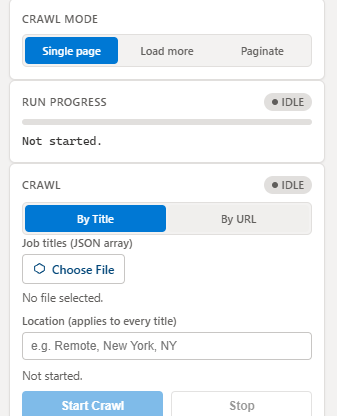
PuppeteerSharp gives a .NET application full control over headless Chrome — the same engine driving Puppeteer in Node.js, just with a C# API. I've used it to build crawlers that extract structured data from job boards, sports data providers, and content sites that don't expose a usable API. Here are the lessons that actually changed how I write crawlers, not just the obvious "wrap it in try/catch" advice.
1. Treat every selector as temporary
A CSS selector that works today is a selector the target site's next redesign will break. The fix isn't a cleverer selector — it's isolating extraction logic so a broken selector fails loudly and locally instead of silently returning empty data three layers up:
async Task<string?> ExtractTextOrNullAsync(IPage page, string selector)
{
    try
    {
        var el = await page.QuerySelectorAsync(selector);
        if (el is null) return null;
        return (await el.EvaluateFunctionAsync<string>("e => e.textContent"))?.Trim();
    }
    catch (Exception ex)
    {
        _logger.LogWarning(ex, "Selector {Selector} failed", selector);
        return null;
    }
}
Every field returns null on failure instead of throwing, and every null gets logged with the selector that produced it. When a site changes its markup, the crawl still completes — it just tells you exactly which field to go fix.
2. Resource blocking is not optional
By default, a headless Chrome page loads every image, font, and tracking script the target site ships. For a crawler that only needs the DOM and a handful of text fields, that's pure waste — slower runs, more memory, and more chances for a slow third-party script to hang the whole page load.
await page.SetRequestInterceptionAsync(true);
page.Request += async (_, e) =>
{
    if (e.Request.ResourceType is ResourceType.Image or ResourceType.Font or ResourceType.Stylesheet)
        await e.Request.AbortAsync();
    else
        await e.Request.ContinueAsync();
};
This one change cut crawl time on a data-heavy job board by more than half, and made memory usage predictable enough to run several crawler instances concurrently on a single background-worker VM.
3. Respect the site, or lose the ability to crawl it at all
The fastest way to get permanently blocked is to hammer a target with concurrent requests and no delay. A crawler that respects robots.txt, throttles concurrency, and adds jitter between requests looks like a browser with a slow user, not a bot — and stays useful for years instead of getting rate-limited into uselessness after a week.
None of this is exotic. It's the difference between a crawler that works once in a demo and one that keeps working in production, unattended, for months.